


Contact Info
106 Anne Rd, Knoxfield VIC 3180, Australia
+61 (03) 82023009
info@ninjaweb.com.au
Contact usRecommended Services


Supported Scripts
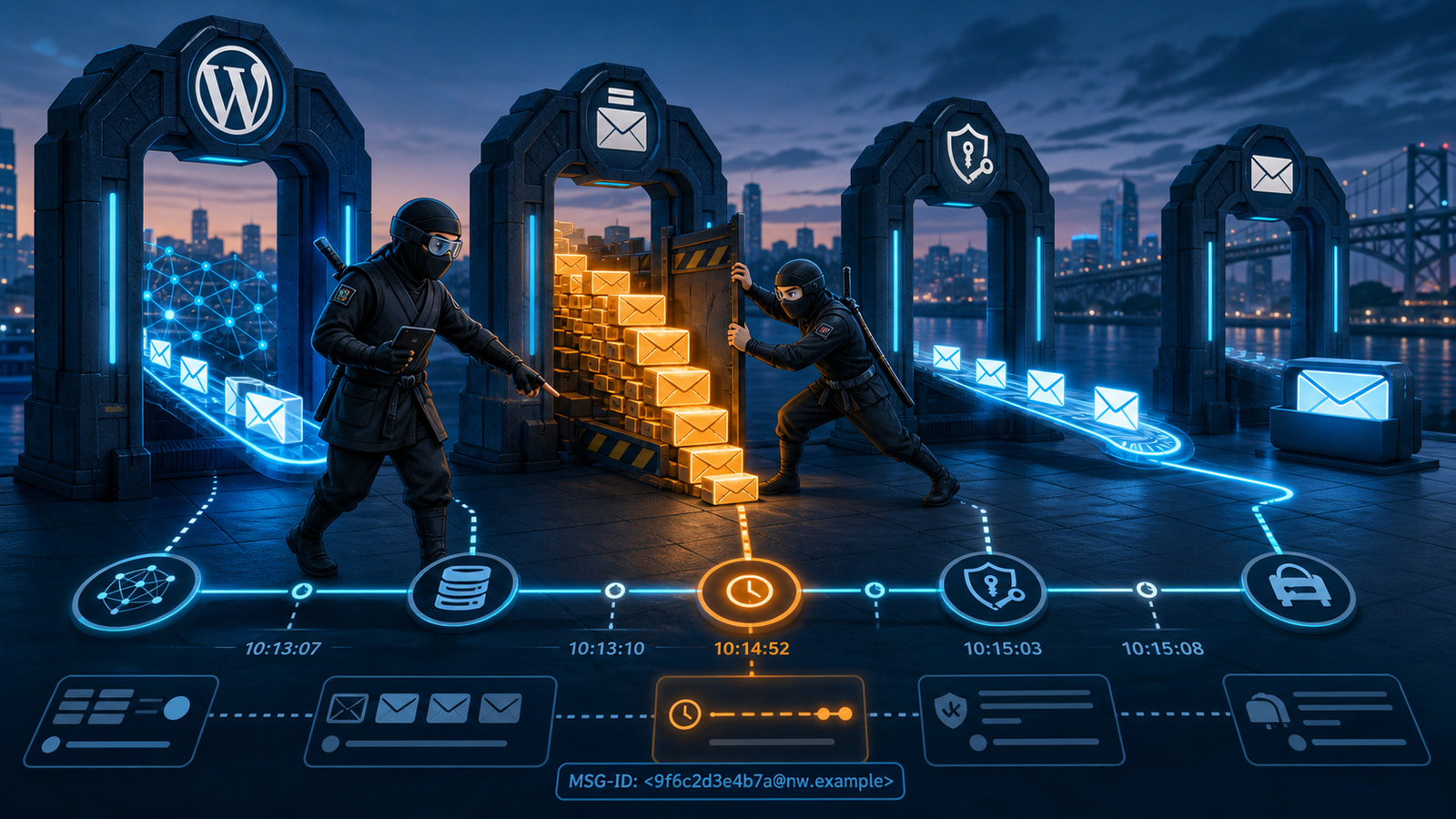

Delayed WordPress notifications are rarely solved by pressing resend until one message finally arrives. An order confirmation that appears twenty minutes late, a password reset that expires before it reaches the user, or a lead alert that lands after the prospect has called a competitor all point to the same operational problem: nobody can show where the message waited.
The useful question is not simply, “Did WordPress send it?” The useful question is, “At what exact time did each system accept, queue, relay and deliver this specific message?” Once those timestamps are placed on one timeline, the delay stops being a vague email problem and becomes a fault with a location and an owner.
Sent Is Not the Same as Delivered
A WordPress message crosses several boundaries. A plugin or custom function first decides that an email should exist. WordPress then hands the message to its mail layer. The web server, SMTP service or email API accepts it, processes it and attempts delivery. The recipient’s mail system can then accept, defer, quarantine, filter or reject it.
Success at one boundary does not prove success at the next. A successful wp_mail() result means the request was accepted for processing; it does not prove that the recipient received the message. Likewise, an SMTP provider accepting a message does not prove that it reached the inbox. “Sent” must always be qualified with the system that reported it.
This distinction matters commercially. A customer does not care that the application completed its function call. They care that the receipt, booking confirmation or reset link arrived while it was still useful.
Treat every status label as evidence from one checkpoint, not as proof of the complete journey.
The same discipline prevents false escalations. If WordPress did not create the message until fifteen minutes after the order, the outbound provider cannot explain that first delay. If the provider delivered in seconds, rebuilding the website mail configuration will only add risk.
Build One Timeline Before You Touch the Configuration
Choose one real delayed message or create one controlled test. Record the timezone and convert every timestamp to UTC so logs from different systems can be compared without mental arithmetic. Capture the triggering event, the expected recipient, the message subject, the sending address and any message identifier exposed by the mail provider.
A basic incident timeline should answer:
- When did the business event occur, such as an order, form submission or password-reset request?
- When did WordPress create or attempt the notification?
- When did the sending service accept the message?
- Did the provider queue, defer, reject or deliver it?
- When did the recipient system accept it, and when did the user see it?
Do not change SMTP plugins, DNS records and cron settings at the same time. That destroys the evidence and makes a temporary improvement impossible to attribute. Preserve the original state, identify the first late or missing timestamp, and investigate that boundary first.
Save the timeline with the incident record. It becomes the comparison point after the repair and prevents a later investigation from starting with the same unanswered questions.
A useful timeline is small enough to read quickly but precise enough to show ownership. Five trustworthy timestamps are more valuable than hundreds of unrelated log lines.
Confirm WordPress Created the Right Message at the Right Time
Start at the application event. For WooCommerce, compare the order timestamp and status transition with the notification record. For a contact form, compare the submission record with the first mail attempt. For scheduled summaries or reminders, inspect the scheduled hook and the time it actually ran.
WP-Cron depends on site activity unless the environment has been configured to trigger scheduled work another way. On a quiet website, a job intended for a precise time can run later when the next request arrives. A real server cron calling WordPress on a controlled interval can remove that traffic dependency, but it should be implemented deliberately and monitored rather than treated as a universal switch.
Also confirm that the notification was not deliberately deferred by the plugin, an automation rule or a background-action queue. If the application created the message late, changing SPF or the SMTP provider will not repair the cause. The delay exists before email transport begins.
Follow the Sender Queue and Preserve the Message ID
When WordPress created the message on time, move to the sending service. Authenticated SMTP or a transactional email API is valuable not only for reputation and authentication, but also because it can provide an event trail. Look for acceptance, processing, deferral, delivery, bounce and rejection events tied to the same message.
Preserve the provider’s message ID. Subjects can repeat, recipients can receive several notifications, and administrators often resend during an incident. The message ID is the safest way to avoid combining evidence from different attempts.
If the provider accepted the message at 02:00 UTC but did not attempt delivery until 02:18 UTC, the sending queue deserves attention. Check account limits, rate controls, reputation holds, service incidents and repeated temporary failures. If the provider attempted delivery immediately but the recipient accepted it later, the next system owns that interval.
This is why a visible mail log is operationally useful. It does not replace provider evidence, but it establishes whether WordPress attempted the right message and gives the investigation a reliable starting point. A properly managed WordPress hosting environment should make this evidence easier to obtain, not force the business to guess.
Separate Authentication Problems From Delay Problems
SPF, DKIM and DMARC matter because they help receiving systems verify the sender and apply domain policy. They should be checked, but they should not become a reflex explanation for every delay. A message can authenticate correctly and still wait in a provider queue. It can also be accepted quickly and then placed in recipient quarantine.
Review the actual headers from a delivered test message. Confirm the visible From domain aligns with the authorised sending service, DKIM validates, and DMARC produces the expected result. Then compare those results with the provider events. Authentication evidence explains trust and policy decisions; timestamps explain where time was lost.
Avoid stacking several mail plugins or leaving old SMTP credentials active. Multiple senders, rewritten From addresses and conflicting hooks make ownership unclear. One documented outbound path is easier to secure, monitor and troubleshoot.
Authentication changes also need a verification window. DNS caches and provider-side validation can make an immediate test misleading, so record when the record changed and confirm the result from the provider that signs the real production messages.
Test the Recipient Side Without Guessing
Run controlled tests to at least two independently operated recipient domains. If one receives messages immediately and the other consistently delays them, the evidence points away from WordPress and toward a recipient-specific policy or delivery path. Check junk folders, quarantine, mailbox rules and administrative message tracing where available.
Ask the recipient administrator for the time their system first saw the message, not only the time displayed by the email client. Client display times can reflect sender headers and timezone settings. Server-side acceptance and trace data are more useful during an incident.
Do not use a resend as proof of repair. A second attempt may take a different route, avoid a temporary deferral or arrive after a queue clears. Keep both message IDs and compare their full timelines.
When recipient-side evidence is unavailable, document that limitation instead of inventing certainty. The investigation can still prove when the provider handed off the message and which system must supply the missing trace.
Prove the Repair With Controlled Messages
After the failing layer is identified, change only what the evidence supports. Repair the scheduled-event trigger if messages are created late. Correct the sending identity if authentication fails. Resolve provider limits or account holds if messages wait before delivery. Work with the recipient administrator when their system defers or quarantines valid traffic.
Then repeat the same test several times. Use the same event type, record every timestamp and test more than one recipient domain. A repair passes when the entire chain remains consistently fast, not when one email happens to arrive.
For revenue-sensitive websites, add monitoring around the chain. Track whether expected notifications are generated, whether the sender accepts them and whether failures or queues exceed a defined threshold. This turns a customer complaint into an observable incident. NinjaWeb’s managed hosting and infrastructure services can connect application health, scheduled tasks and delivery evidence instead of treating email as an isolated plugin setting.
Give the Delivery Chain an Owner
Delayed email often survives because responsibility is fragmented. The developer owns the trigger, the host owns the runtime, the email provider owns the outbound queue, and the recipient controls the final policy. Without one person coordinating the evidence, each supplier can truthfully say their own system looks healthy while the business outcome still fails.
Assign an owner who can maintain the delivery map, preserve message IDs, align timestamps and escalate with proof. Document the sending service, authorised domains, notification sources, expected timing and the contact path for each supplier. Review that map after migrations, DNS changes and major plugin updates.
If critical WordPress notifications are arriving late and the current suppliers are trading guesses, ask NinjaWeb to trace one message end to end. The fastest route to a reliable fix is to find the first late event, repair that layer and prove the result across the complete delivery chain.