


Contact Info
106 Anne Rd, Knoxfield VIC 3180, Australia
+61 (03) 82023009
info@ninjaweb.com.au
Contact usRecommended Services


Supported Scripts
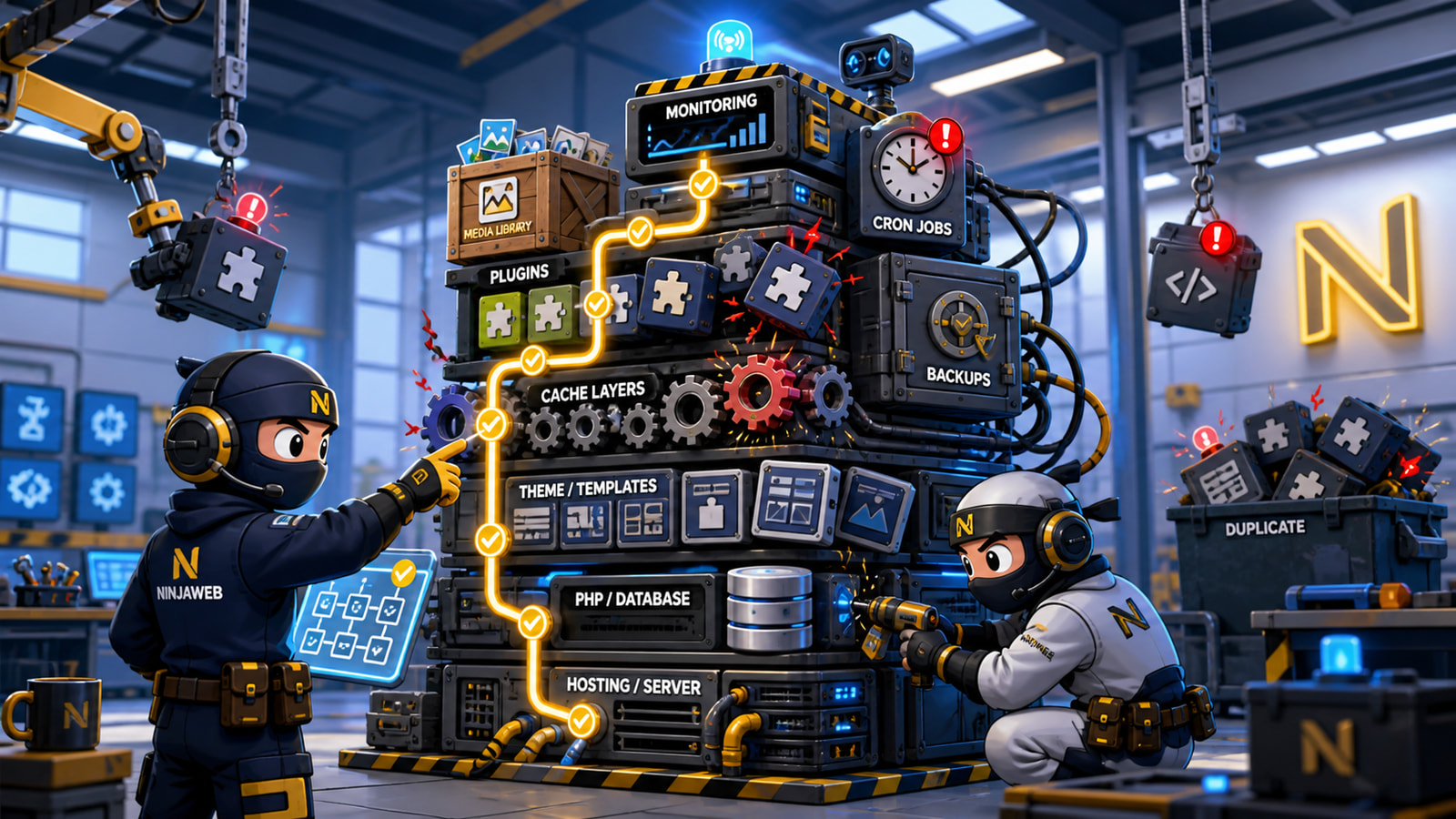

WordPress stack control is usually the difference between a site that feels stable and a site that constantly needs emergency fixes. When a WordPress site becomes slow, most people look for one simple villain. They blame the theme, the host, the cache plugin, the page builder, or the latest update. Sometimes one of those is involved. Usually the real issue is broader: the stack has become uncontrolled.
A WordPress site is not just WordPress. It is hosting, PHP, database configuration, caching, DNS, SSL, plugins, media, theme code, cron jobs, third-party scripts, admin habits, and content workflows. If nobody owns that stack as one system, performance problems keep returning.
Slow is often a symptom, not the root cause
A slow page load is visible. The cause behind it may not be.
The homepage might be waiting on a bloated slider. Product pages might be loading too many tracking scripts. The admin area might be crawling because scheduled tasks are stuck. The database might be full of abandoned plugin tables. Images might be huge. Cache might be configured twice by two different plugins. A security plugin might be scanning at the wrong time. The hosting account might be fine, but the application layer may be noisy.
This is why quick speed fixes often fail. Compressing images helps, but not if the page still loads twenty scripts nobody uses. Adding another cache plugin can help, but not if it conflicts with server caching. Upgrading hosting can help, but not if the site keeps doing unnecessary work on every request.
Performance work has to identify the system pressure, not just the visible delay.
Plugin drift is a real operational problem
Most WordPress sites accumulate plugins for sensible reasons. One handles forms. One handles SEO. One handles backups. One handles security. One handles galleries. One handles popups. One handles analytics. Each plugin solves a small problem, but together they can create a stack nobody understands.
Plugin drift happens when the site keeps gaining functionality without losing old assumptions. A campaign plugin stays active after the campaign ends. A builder add-on remains installed for one landing page. A form plugin is replaced but not removed. A cache plugin is added because performance was bad, then another optimization plugin is added later because performance is still bad.
Over time, the site becomes harder to reason about. Updates feel risky. Debugging takes longer. New work costs more because every change has to step around unknown dependencies.
Good managed WordPress hosting is not just a server plan. It is a control discipline around the stack.
Caching should be designed, not stacked
Caching is powerful, but random caching is dangerous. A site can have browser cache, page cache, object cache, CDN cache, server cache, plugin cache, database query behavior, and application-level fragments. If these layers are not understood, cache becomes another source of confusion.
A common failure pattern is stacking optimization plugins until the site appears faster for anonymous visitors, while logged-in users, checkout flows, forms, or dynamic content become unreliable. Another pattern is clearing cache as a ritual instead of fixing the underlying configuration.
A controlled WordPress stack has a known caching strategy. It knows what should be cached, what should never be cached, when cache should purge, and who is allowed to change those settings.
Hosting has to match the workload
Not every WordPress site needs the same hosting shape. A brochure site, WooCommerce store, booking platform, membership site, content-heavy blog, and agency landing page network all create different pressure.
Some sites are fine on well-managed shared hosting. Some need tuned WordPress hosting. Some need a VPS because they require more control over resources, services, or deployment. Some need dedicated infrastructure because traffic, integrations, compliance, or workload predictability matter.
The point is not to buy the most expensive server. The point is to stop treating hosting as separate from the application. NinjaWeb works across web hosting, VPS hosting, and dedicated server setups because the right answer depends on the workload, not a generic package label.
Admin habits can undo technical work
Even a well-built stack can decay if daily admin habits are weak.
Uploading oversized images, installing plugins without review, leaving test pages active, adding scripts through theme options, editing live pages without a rollback path, and ignoring update notes all create slow damage. The site might still work, but each unchecked change makes the next problem harder to diagnose.
This is why operational rules matter. A business website should have clear rules for plugin installs, media uploads, backups, update windows, access levels, staging, rollback, and monitoring. These rules do not need to be complicated. They just need to exist.
Fix the stack, then optimize the page
Page-level optimization still matters. Images should be compressed. Templates should be lean. Scripts should be limited. Critical pages should be tested. Core Web Vitals should not be ignored.
But page optimization works best after the stack is controlled. Otherwise the same performance issues return under a different name. The business keeps paying for emergency fixes instead of owning a stable platform.
A practical WordPress improvement plan should start with an inventory: hosting layer, PHP version, active plugins, theme dependencies, cache layers, media weight, database condition, scheduled tasks, security posture, and the pages that actually matter to customers.
From there, the work becomes clearer. Remove what is not needed. Consolidate what overlaps. Tune what remains. Document the stack. Then monitor it.
NinjaWeb framing
Your WordPress site is not slow because WordPress is bad. It is slow because the stack has lost control, or because nobody has treated hosting, plugins, cache, media, and operations as one system.
NinjaWeb helps businesses build and maintain WordPress sites that are easier to manage, faster to diagnose, and better matched to the real workload. If your site keeps needing emergency speed fixes, the next step is not another plugin. It is stack control through managed WordPress hosting and practical technical ownership.
Share this Post